DEACON

AI customer support and user insights, live in minutes

Support your users as though you were in the room. Deacon answers their questions from your own documentation, hands you the ones it can’t, and shows you what people are trying to do.

Free plan, no card. Paid plans from $40 a month, billed yearly.
The Deacon widget answering a customer, in English and then in Spanish, handing over a question it cannot answer, the founder answering it once, and the analytics that follow.

An expert beside your customers, at any hour

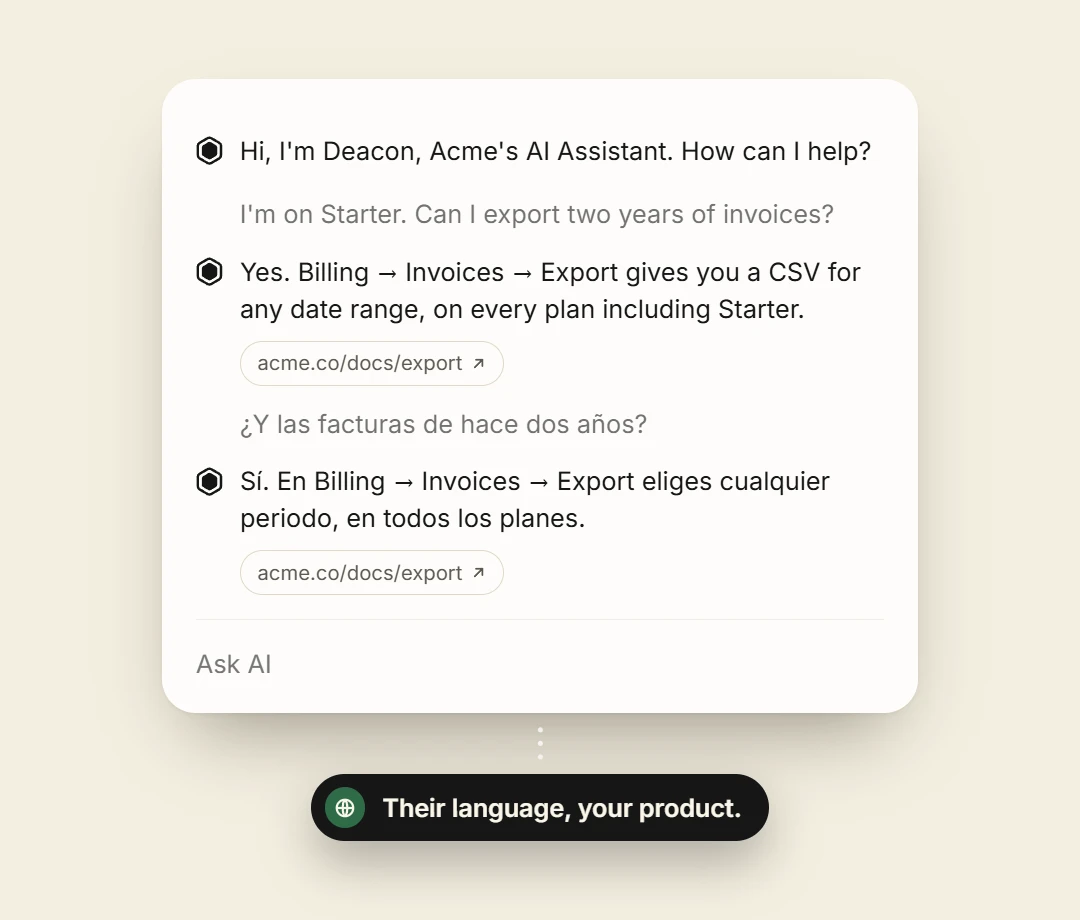
Until now, a customer who got stuck sat through a tutorial video or searched help pages written a year ago. Deacon answers them directly, at any hour, in whichever language they write in, from the documentation you already have.

  • Answers from your documentation, in seconds
  • A link to the page the answer came from, when there is one
  • Handed to you when it can’t answer
The Deacon widget answering a question about exporting invoices, first in English with a link to the docs page, then the same question asked and answered in Spanish.

Hear from every customer, not the vocal few

Deacon is in conversation with everyone who asks, so what reaches you is the whole picture and not an anecdote. You see what each person was trying to do, the questions your documentation fails to answer, and the topics worth acting on.

  • Every conversation on record
  • The questions your documentation couldn’t answer
  • What people ask about, across all of them
See the dashboard
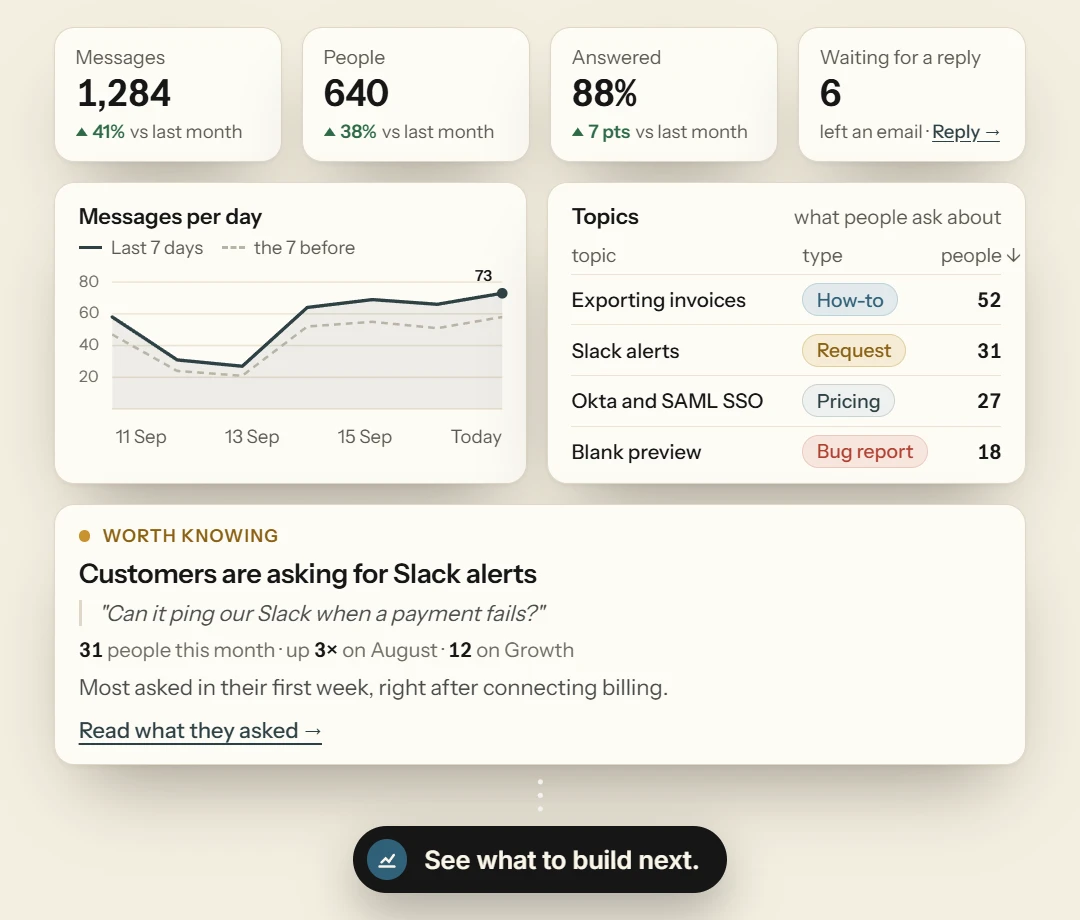
The widget analytics dashboard, with tiles for messages, people, the share answered and visitors waiting for a reply, a messages-per-day chart, the topics people ask about, and a finding that customers are asking for Slack alerts.

Hands off until it needs you

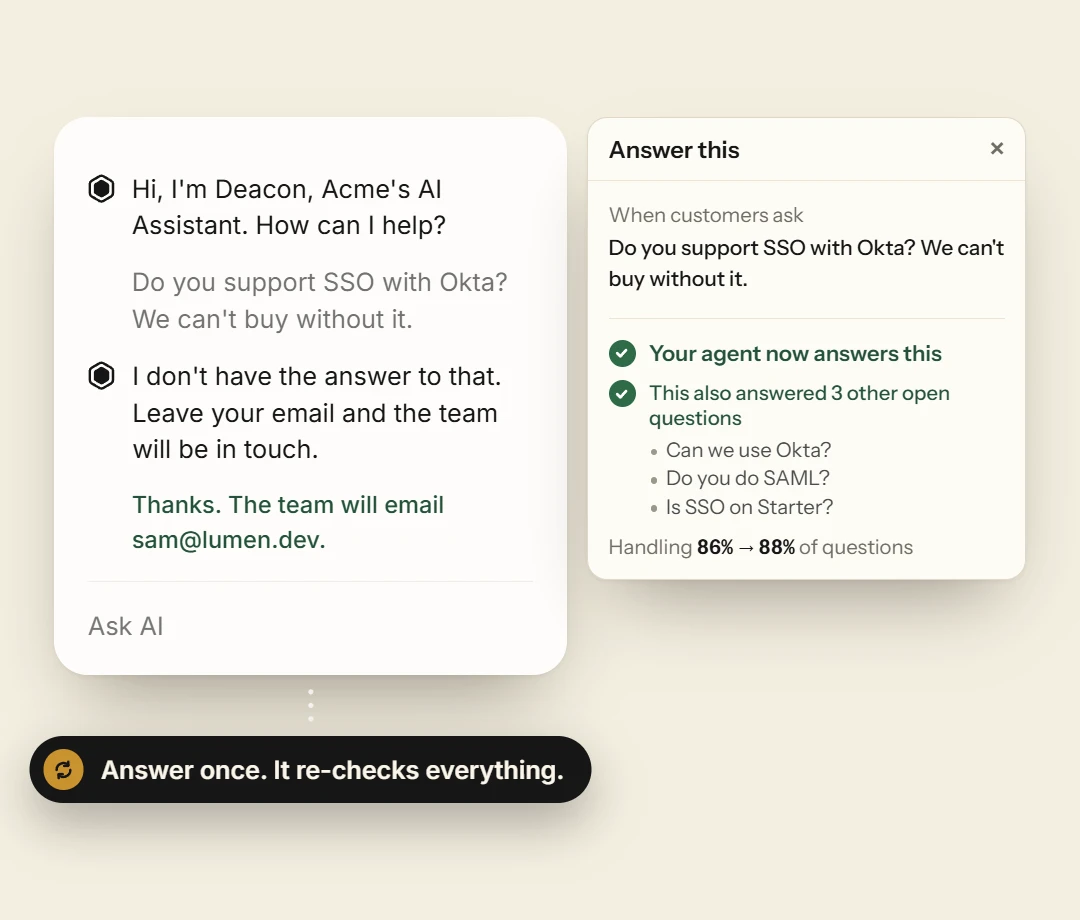
Deacon answers day and night with no one on a rota. When a question is beyond your documentation, it takes the visitor’s details and hands the conversation to you, to answer when you are next at your desk. Write the answer once and the next visitor who asks gets it straight away.

  • Answers around the clock with no one on duty
  • Handed to you with the visitor’s details
  • Your answer joins the knowledge base
See how it hands off
A conversation Deacon could not answer, with the visitor’s email taken, beside the Answer this panel where the founder’s reply is saved and marked as now answering this and three other open questions.

Key features

  • Honest answers Written only from the passages it found, with the source named, or it says it can’t.
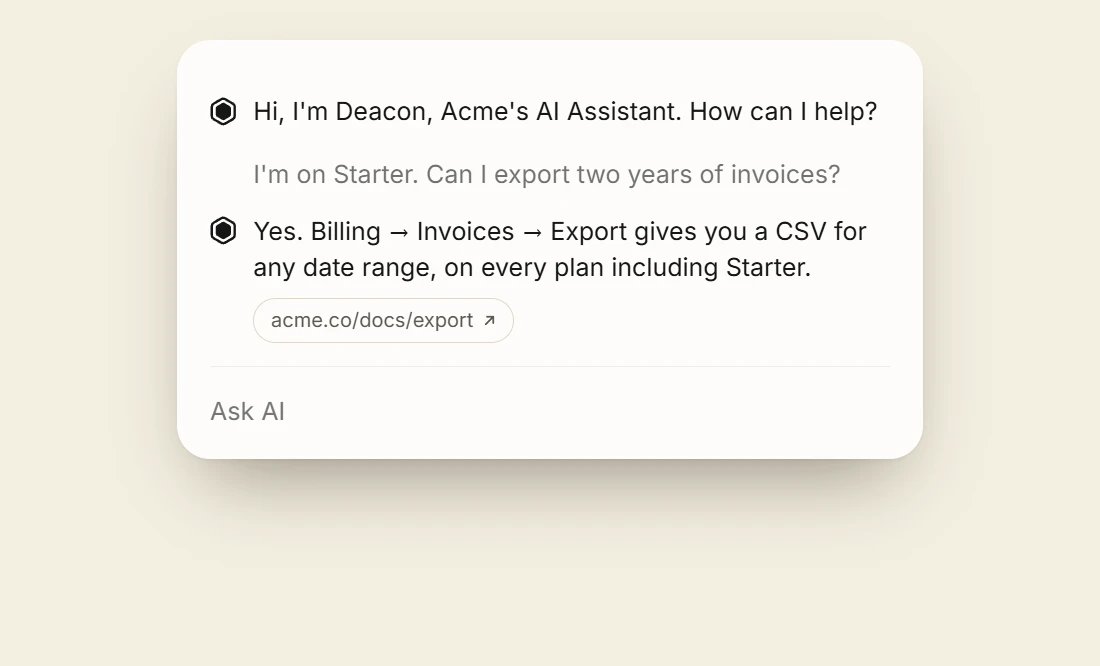
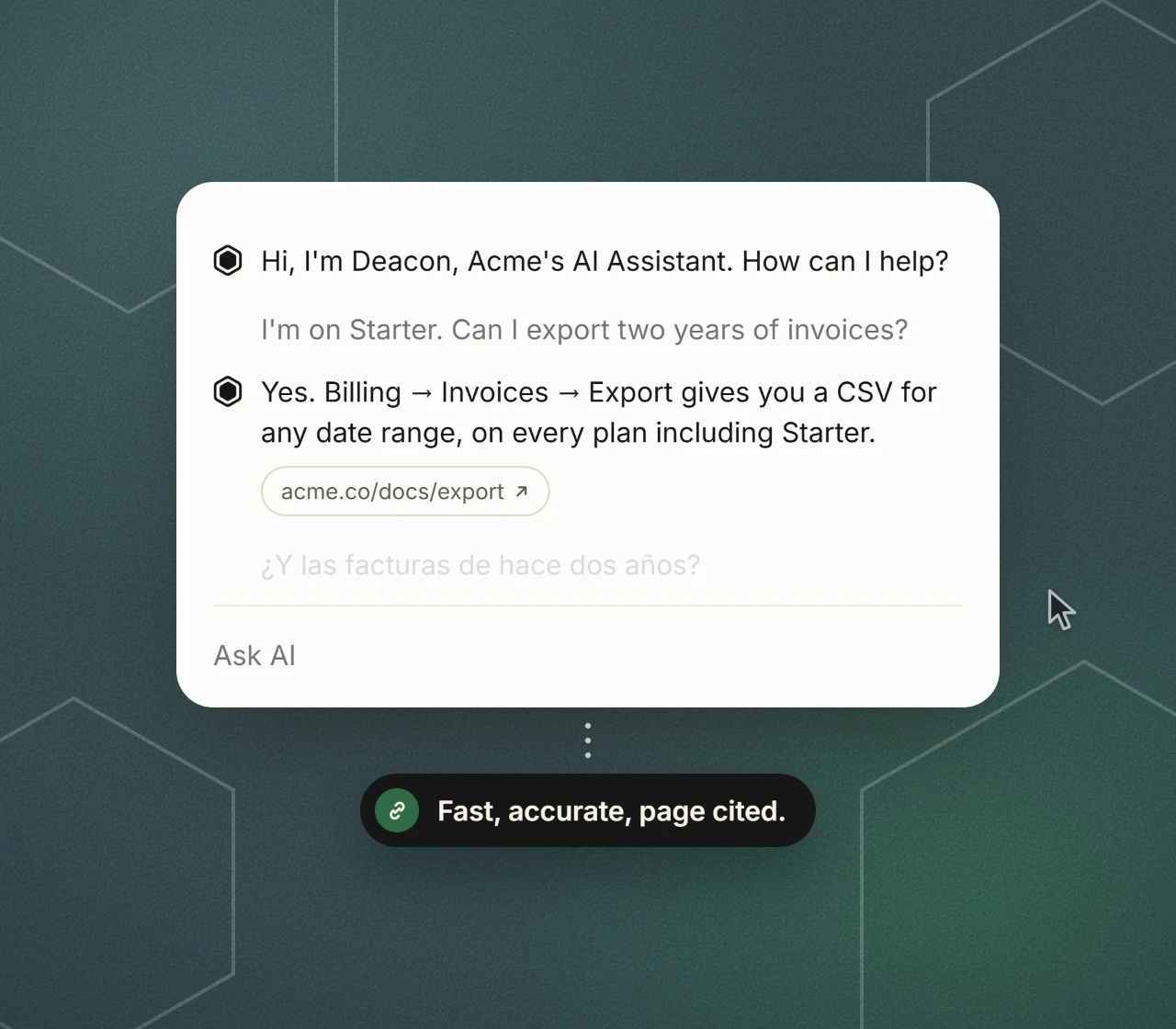
    The widget answering a question about exporting invoices, with a link to the docs page the answer came from.
  • Knowledge gaps Every question your docs couldn’t answer, listed, with a box to write the answer once.
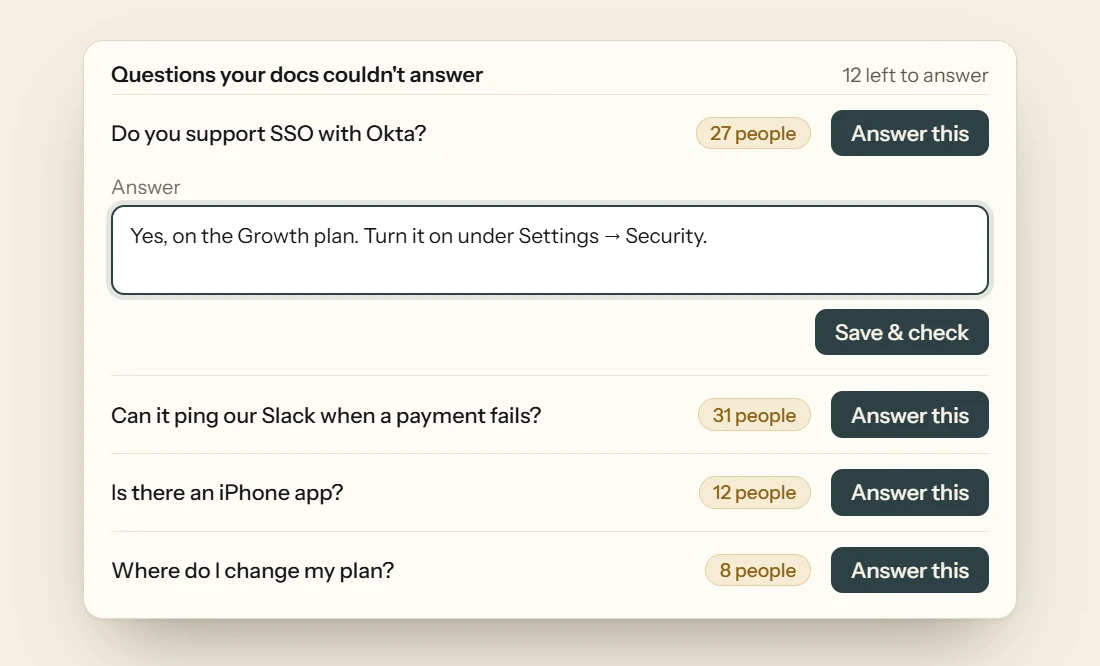
    The questions your docs could not answer, listed with how many people asked each, and a box to write the answer.
  • Conversation logs Exactly what was said on your behalf, on record.
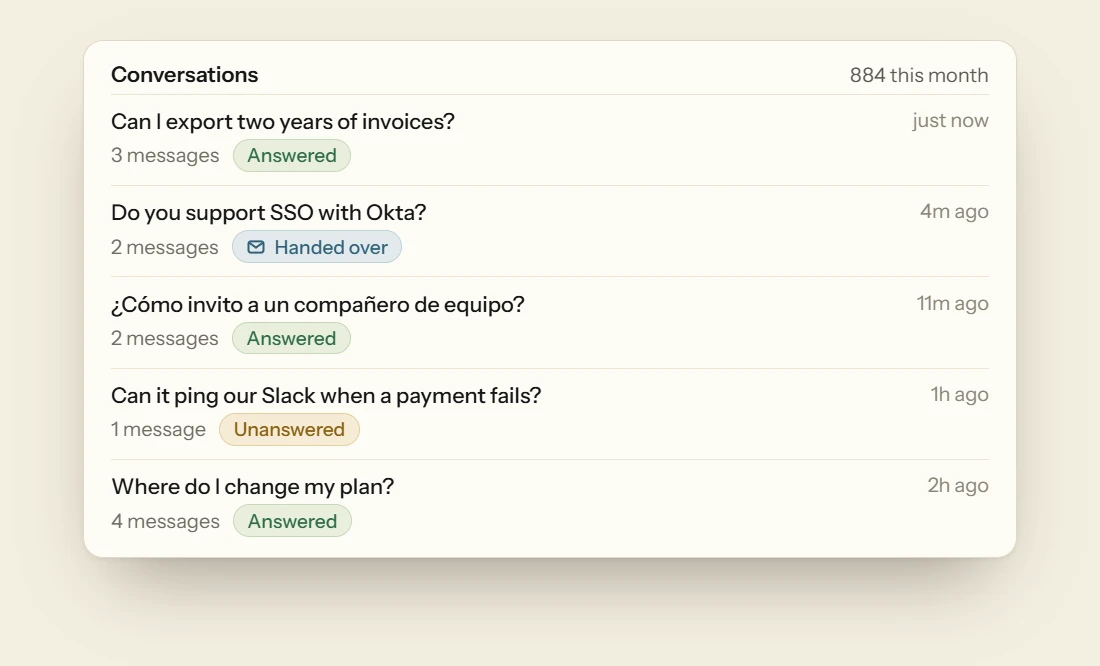
    The list of conversations, each with its question, how many messages it ran to, and whether it was answered, handed over or unanswered.
  • Handoff The visitor’s email captured, your reply from the dashboard.
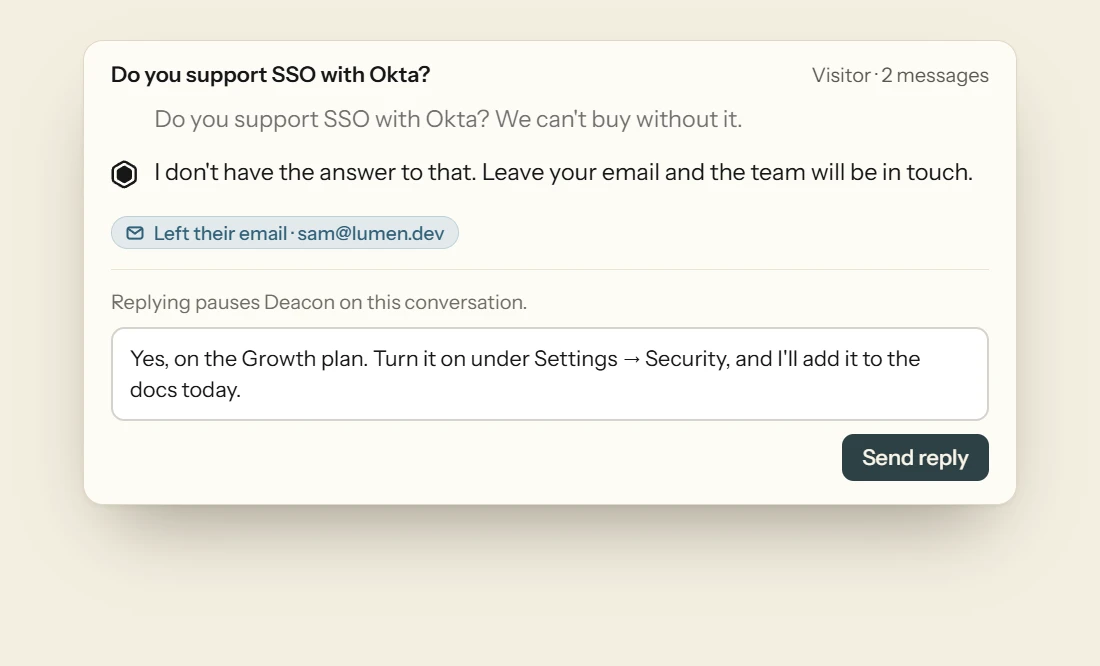
    A handed-over conversation with the visitor’s email, and the founder’s reply being written in the dashboard.
  • Knowledge in minutes Docs, URLs, files or written answers.
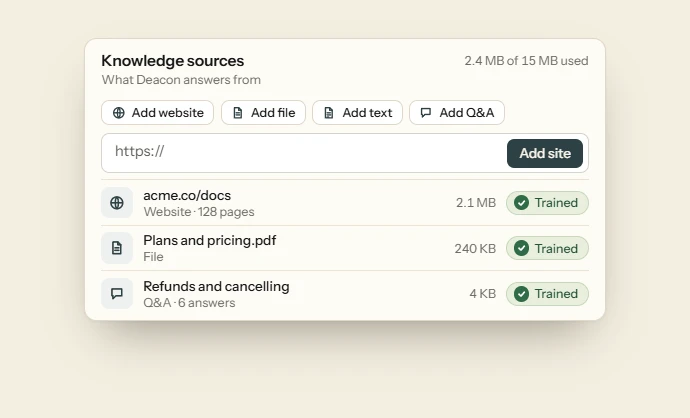
    The knowledge sources a team has added, a crawled website, an uploaded file and written answers, each marked trained, with the buttons to add a website, a file, text or a Q&A above them.
  • Topics What people were trying to do, across every conversation.
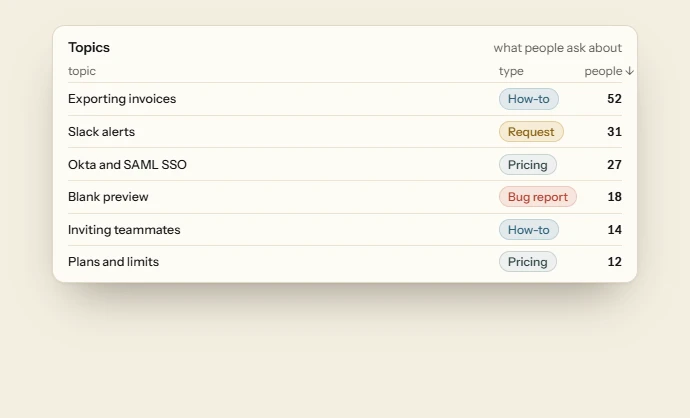
    The topics people ask about, each typed as a how-to, a request, pricing or a bug report, ranked by how many people asked.
  • Website analytics Who comes, what they do, which goals they reach.

    Website analytics, with visitors, page views, sign-ups and time on site over a chart of visitors per day.

5 minute install

  1. Sign up

    Create your account and name your workspace.

  2. Add your content

    Paste the URLs of your docs and help pages, or upload files. Deacon reads them in minutes.

  3. Go live

    Copy your one-line snippet and paste it before </body>.

    <script src="https://heydeacon.com/widget/v1/loader.js" data-key="pk_your_widget_key" async></script>

Get started for free

Create an account, add your documentation, and see what your customers have been trying to ask.

Free plan, no card.

Questions, answered

Deacon is an AI support agent that sits inside your product. Your customers ask a question in their own words and get an answer taken from your documentation. When the answer comes from a page on your site, Deacon links to it. If your documentation doesn’t cover the question, Deacon says so, takes the customer’s details and passes the conversation to you. Every conversation is saved, so you can see what people ask and where your documentation has gaps.

It is conversational, yes. Your customers type a question in their own words and get a written answer. There are no menus and no scripted decision trees. It doesn’t take actions inside your product yet, though. Today Deacon answers from your own content and links to the page the answer came from, if there is one. When it can’t answer it says so, takes the customer’s details and passes the conversation to you. Every conversation is saved for you to read.

A chatbot follows a script made of decision trees and keyword rules. It can only handle the paths someone built in advance, and it falls back to “let me connect you to a human” as soon as a question goes off the script. Deacon reads the question in plain language, finds the parts of your documentation that answer it, and writes an answer from those, with a link to the page if there is one. If your documentation has no answer, it says so and passes the conversation to you instead of guessing.

Not out of the box today. If you need Deacon connected to an internal system, write to us at hello@heydeacon.com and tell us what you have in mind.

Fin and Decagon are built for companies that already have a support team and a helpdesk. Decagon is sold through a demo, and Fin runs on top of a helpdesk. Deacon is built for founders and small teams who have neither. It takes one line of code to install, it learns from the docs you already have, and anyone on your team can run it from the dashboard. Self-serve tools like Chatbase and Crisp are the closer comparison. Against them, our case is value for money. The free plan never expires, the paid plans are priced for a startup, and there is no ‘powered by’ badge you have to pay to remove. The figures are on the pricing page.

About five minutes. Add our snippet to your application, point Deacon at a few URLs or help documents, and it is live. There is no integration project.

There is a free plan with no card and no time limit, and paid plans that follow the number of answers you need. Current figures, and what each plan includes, are on the pricing page.

You train it on your own material. That can be pasted text, the URLs of your docs and help pages, uploaded files (PDF, DOCX or plain text), or questions and answers you write yourself. Add a source in the dashboard and Deacon learns it. When your product changes, refresh the source and Deacon picks up the new version.

Deacon speaks your customers’ language, literally. It reads and replies fluently in dozens of the world’s major languages, including Spanish, French, German, Portuguese, Italian, Dutch, Japanese, Korean, and Chinese. It detects whichever language someone writes in and answers in kind, with nothing to configure per language.

No. Most alternatives assume you already run one: a support team, and the software behind it. Deacon does not. It runs quietly in the background, so a single founder, developer, or manager can set it up and let it handle support without standing up a support function first.

Only for the install itself. After that, curating content, updating knowledge, and reviewing conversations are all handled from the dashboard by anyone on your team.

Yes. Every conversation is recorded in full, so you can read exactly what was said on your behalf and review any interaction whenever you need to.

The conversation is flagged as unanswered in your dashboard and your team is notified. Someone can reply to the customer directly and add the missing material to the knowledge base, so the same question is answered automatically next time.

Grounding. Rather than answering from a model’s general training, Deacon retrieves the passages most relevant to each question from the knowledge base you have given it and confines its answer to that material. Where it finds nothing to support an answer, it says so and flags the conversation instead of guessing. And because every answer is tied to the source documentation, it can point to where the answer came from, so both your customers and your team can check it.

Something else?